
Calls and Texts From Your Driver
SquareDrop LLC (squaredropga.com) is a food delivery service in Cobb County, Georgia. While a delivery is open, the customer and the driver delivering it can text each other through a SquareDrop phone number, so neither sees the other’s personal number. Texts are optional and off until each person turns them on. This page shows how they do that. The screenshots are from the SquareDrop app and website, with test data.
How customers agree
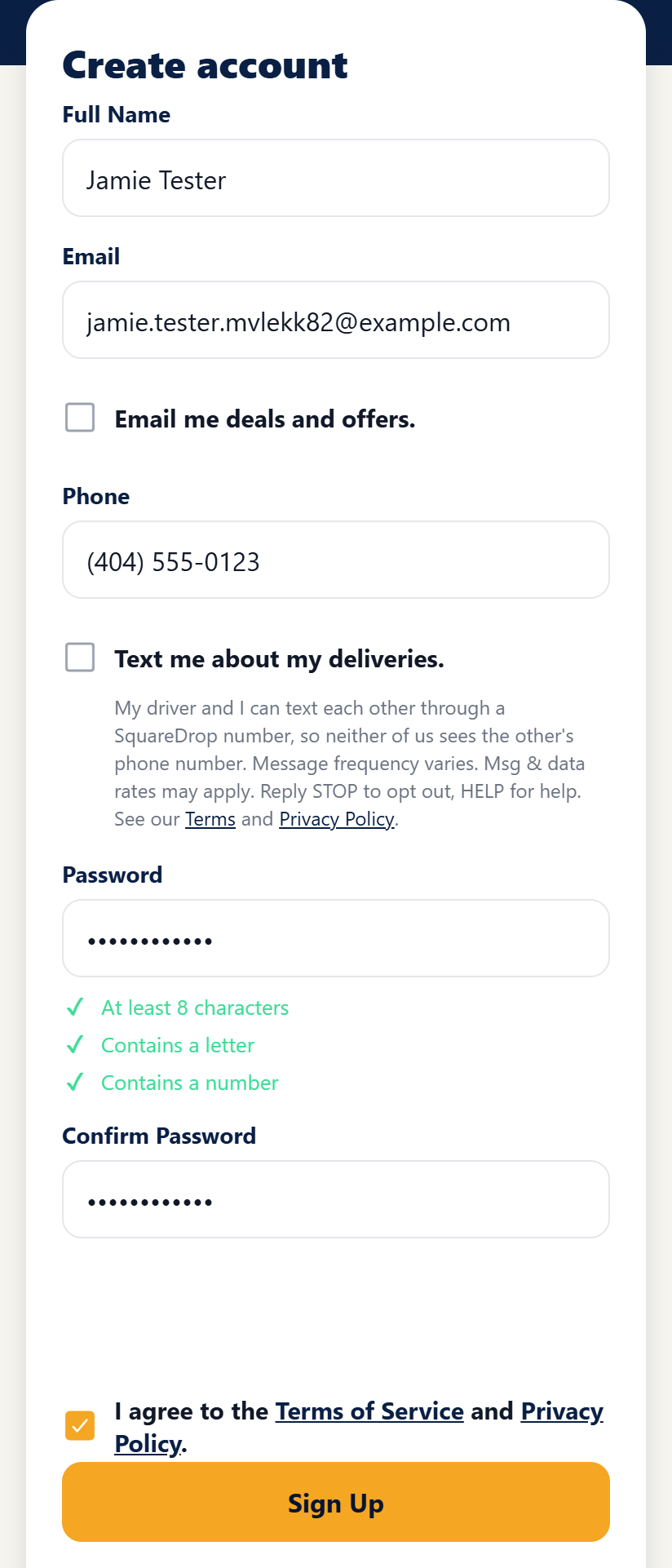
1. When creating an account. Below the phone number field of the sign-up screen in the SquareDrop app (web at app.squaredropga.com, iOS and Android) is an optional checkbox, unchecked by default and separate from the Terms. Its wording: “Text me about my deliveries. My driver and I can text each other through a SquareDrop number, so neither of us sees the other’s phone number. Message frequency varies. Msg & data rates may apply. Reply STOP to opt out, HELP for help. See our Terms and Privacy Policy.” Terms and Privacy Policy are links to squaredropga.com/terms and squaredropga.com/privacy. Agreeing to the Terms of Service and Privacy Policy is a box of its own, above Sign Up. That box is required; the texts box is not.
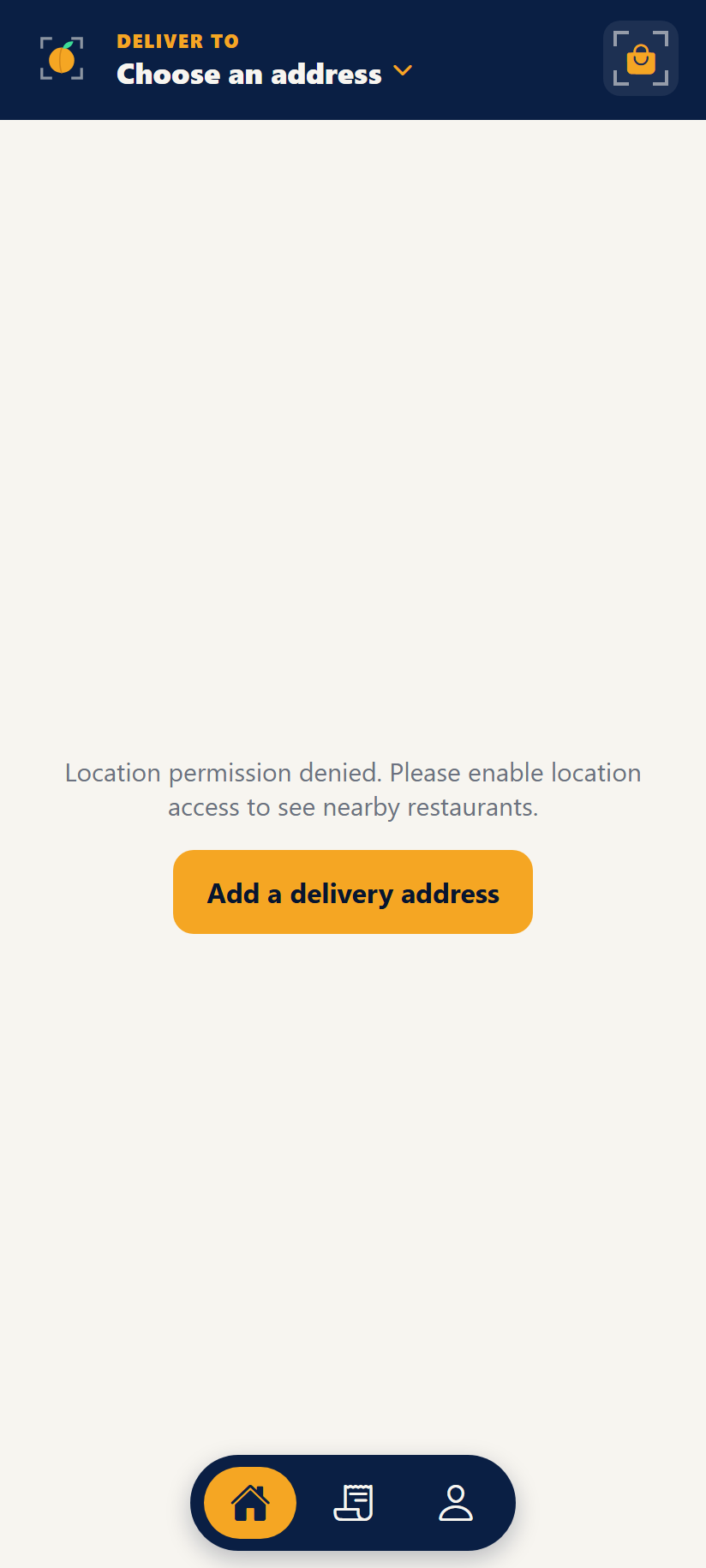
2. The screen after the account is created. Once SquareDrop opens to the public, signing up opens the app, as in the screenshot. Until then, a new account sees a “SquareDrop is Coming Soon” screen instead. Either way, a customer who left the box unticked gets no texts; nothing is sent to them at sign-up.
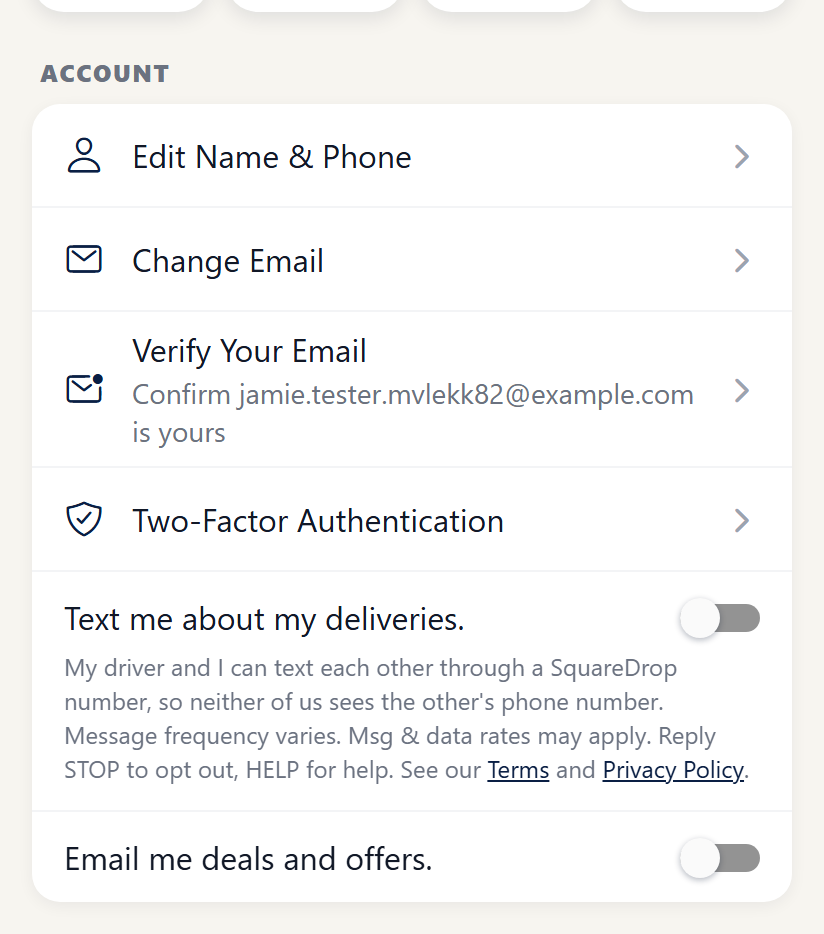
3. The texts setting in the account. Profile has the same opt-in, with the same wording, as an on and off switch. Customers who did not tick the box at sign-up, or who signed up before it existed, turn texts on here, and anyone can turn them off here at any time.
How drivers agree
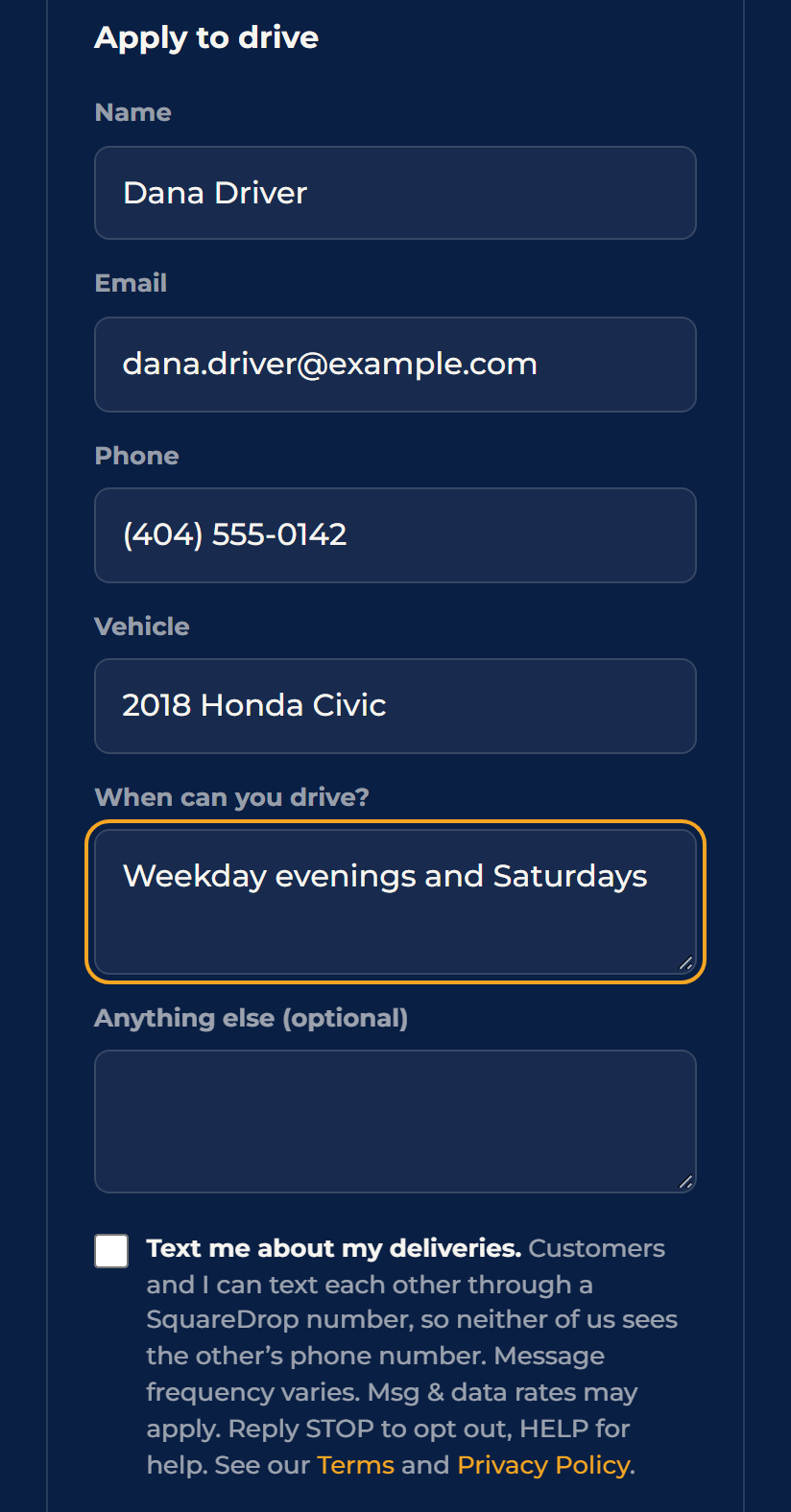
Drivers apply on squaredropga.com. The driver application has an optional checkbox, unchecked by default, with the same disclosures: “Text me about my deliveries. Customers and I can text each other through a SquareDrop number, so neither of us sees the other’s phone number. Message frequency varies. Msg & data rates may apply. Reply STOP to opt out, HELP for help. See our Terms and Privacy Policy.” A driver who does not tick it gets no texts.
What the messages are
- Texts between a customer and the driver delivering their order, written by them, about that one delivery (for example a gate code or “I am outside”). Each is labeled with the SquareDrop name.
- They pass only while that delivery is open. After delivery the number stops passing texts.
- The first text each person gets on an order repeats how to stop them: “Msg & data rates may apply. Reply STOP to opt out, HELP for help.”
- Message frequency varies with the delivery. Message and data rates may apply.
- No marketing, promotions or automated campaigns are sent.
Stopping and help
Reply STOP to any text, or tell us in a text to stop, and texts are turned off for you on every SquareDrop number. Reply START to turn them back on. Customers can also turn the texts setting off in their account. Reply HELP for help, or contact [email protected] or (470) 531-5688. We do not sell or share your SMS opt-in data or personal information with third parties for marketing purposes. See our Privacy Policy and the SMS Terms in our Terms of Service.